
480p, 720p and 1080p Explained: Movie Quality, File Size and Data Use
1080p (Full HD) has 1920 × 1080 pixels, which is 2.25 times as many as 720p and about 5 times as many as 480p. Netflix says HD streaming uses up to 3 GB of data per hour, so a 2.5-hour film in 1080p uses up to 7.5 GB.
- Facts checked against official sources
- Updated October 2026
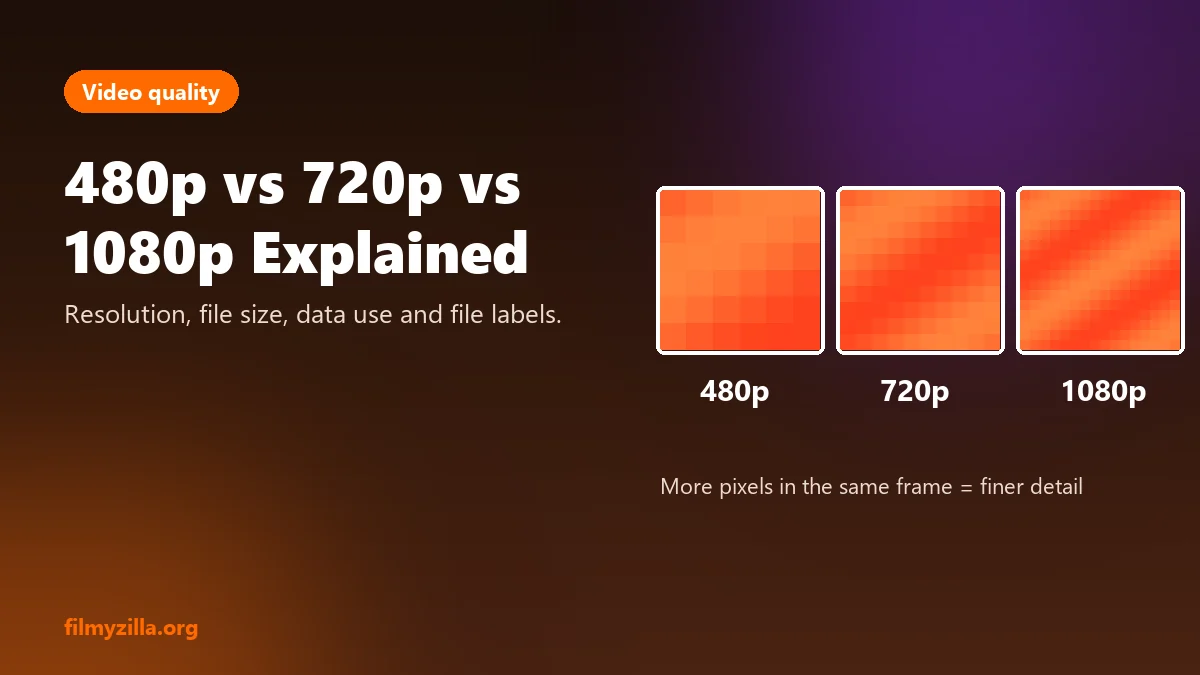
The comparison above shows how many more pixels each step up in resolution packs into the same frame.
Please read our Privacy and Risk Policy before using this site.
Movie files and streams come with labels like 480p, 720p, 1080p, HEVC, WEB-DL and dual audio. This guide explains what each label means, how much data each quality uses, why "300MB movies" look blurry, and how to choose the right quality for your screen.
Movie Video Quality: 480p, 720p, 1080p and 4K
Video quality labels describe the number of pixels in each frame. The table below lists the 4 common resolutions at a 16:9 aspect ratio, with the total pixel count and the screen each suits.
| Resolution | Pixels | Total pixels | Best screen |
|---|---|---|---|
| 480p (SD) | 854 × 480 | 409,920 | Small phone, slow connection |
| 720p (HD) | 1280 × 720 | 921,600 | Phone or tablet |
| 1080p (Full HD) | 1920 × 1080 | 2,073,600 | Laptop, monitor, TV up to about 50 inches |
| 4K (UHD) | 3840 × 2160 | 8,294,400 | Large 4K TV |
Is 1080p Better Than 720p?
Yes, 1080p shows more detail than 720p, because it has 2.25 times as many pixels. The difference is clear on a TV and harder to see on a small phone. Resolution sets the maximum detail, but the bitrate, the amount of data per second, decides how much of that detail survives compression.
Is 4K Worth It?
4K is worth it on a large 4K TV with a fast connection. It has 4 times the pixels of 1080p, but on a phone or small laptop the extra detail is hard to see, and it uses more than twice the data.
How Much Data Streaming a Movie Uses
Streaming a movie uses 0.3 GB to 7 GB per hour, depending on the quality setting, according to the Netflix Help Center. The table below converts those per-hour figures into the data used by a 2.5-hour Indian film.
| Netflix setting | Data per hour | 2.5-hour film |
|---|---|---|
| Low (basic quality) | Up to 0.3 GB | Up to 0.75 GB |
| Medium (standard quality) | Up to 0.7 GB | Up to 1.75 GB |
| High, SD | Up to 1 GB | Up to 2.5 GB |
| High, HD | Up to 3 GB | Up to 7.5 GB |
| High, 4K | Up to 7 GB | Up to 17.5 GB |
On a 2 GB daily mobile data plan, the Medium setting fits one full film within the day's limit.
Movie File Labels Explained
Movie file labels describe the source, the compression or the audio of a video, not just its resolution.
What Does WEB-DL Mean?
WEB-DL means a video copied directly from a streaming service without re-encoding. It describes the source, not the resolution, so a WEB-DL file can be 480p, 720p or 1080p. On piracy sites, WEB-DL marks a copy taken from a platform such as Netflix or Prime Video without permission.
WEB-DL, WEBRip and HDRip Compared
WEB-DL keeps the stream's original data, while WEBRip and HDRip are re-encoded copies. The table below compares the 3 labels by source and quality loss.
| Label | Source | Re-encoded | Quality loss |
|---|---|---|---|
| WEB-DL | Streaming service file | No | None compared with the stream |
| WEBRip | Screen capture of a stream | Yes | Small |
| HDRip | Any HD source | Yes | Varies with the bitrate |
What Does HEVC Mean?
HEVC (High Efficiency Video Coding), also called H.265, is a compression standard that keeps the same picture quality as the older H.264 standard in a smaller file. It suits 1080p and 4K video. Older phones and TVs may not play HEVC files smoothly.
What Does Dual Audio Mean?
Dual audio means a video has 2 audio tracks, usually Hindi and English, that you switch between. Licensed apps such as Netflix and JioHotstar offer the same choice through the audio and subtitles menu, often with several Indian languages on big releases.
MKV or MP4: Which Is Better?
MP4 is the better choice for most phones and TVs, because almost every device plays it. MKV is a container that can hold several audio and subtitle tracks in one file, but some phones and smart TVs need an extra player to open it. The container does not change picture quality. The codec and bitrate do.
Why 300MB Movies Look Blurry
300MB movies look blurry because a full film squeezed into about 300 megabytes carries very little data per second. A 300 MB file for a 2.5-hour film works out to about 0.27 megabits per second. Netflix's HD setting uses up to 3 GB per hour, about 6.7 megabits per second, which is roughly 25 times more data every second.
Piracy sites such as 300mbmovies4u and Mp4moviez use this format to keep downloads small. The result looks blocky on any screen larger than a phone, whatever resolution the label claims.
How to Choose the Right Video Quality
The right video quality depends on your screen size and data plan. Use the rules below.
- Phone on mobile data: 480p or the Medium setting saves data and still looks sharp on a small screen.
- Phone or tablet on Wi-Fi: 720p or 1080p.
- Laptop or TV up to 50 inches: 1080p.
- 4K TV: 4K, if your plan includes it and your connection is fast enough.
Licensed apps adjust the quality automatically to your connection.
Frequently Asked Questions About Video Quality
What is the difference between 720p and 1080p?
720p is 1280 × 720 pixels and 1080p is 1920 × 1080 pixels. 1080p has 2.25 times as many pixels and looks sharper on larger screens.
How many GB is a 1080p movie?
Streaming a 2.5-hour film in HD on Netflix uses up to 7.5 GB of data. Downloaded files in licensed apps are usually smaller, depending on the quality you choose.
What does WEB-DL mean in movies?
WEB-DL means a video copied from a streaming service without re-encoding. It describes the source, not the quality or legality.
Is HEVC better than H.264?
HEVC gives the same picture quality as H.264 in a smaller file, but older devices may not play it smoothly.
Why are 300MB movies low quality?
A 300MB file holds about 25 times less data per second than an HD stream, so fine detail is lost.
Final Thoughts
480p, 720p and 1080p describe how many pixels a video has, and 1080p has 2.25 times the pixels of 720p. The real quality also depends on the bitrate, which is why heavily compressed 300MB files look poor even when they claim to be HD.
For the best picture, stream from a licensed app that adjusts quality to your screen and connection. The legal Filmyzilla alternatives guide compares the main apps, and the guide to Filmyzilla explains piracy labels such as CAMRip and PreDVD.
Published 22 October 2026. Last updated 22 October 2026.